Get started with OrderMerge
Install OrderMerge, check the two settings that matter, and see what happens when the first duplicate order arrives.
FreeProtect4 min read
1Install from the Shopify App Store
Install OrderMerge from apps.shopify.com/ordermerge. It starts on the Free plan, which checks every new order as it arrives, up to 25 duplicate groups a month.
At install, OrderMerge indexes your open orders so a new order can be matched against them. It doesn't flag pairs that already exist; use Find duplicates on the Orders list for those.
2Check how orders are matched
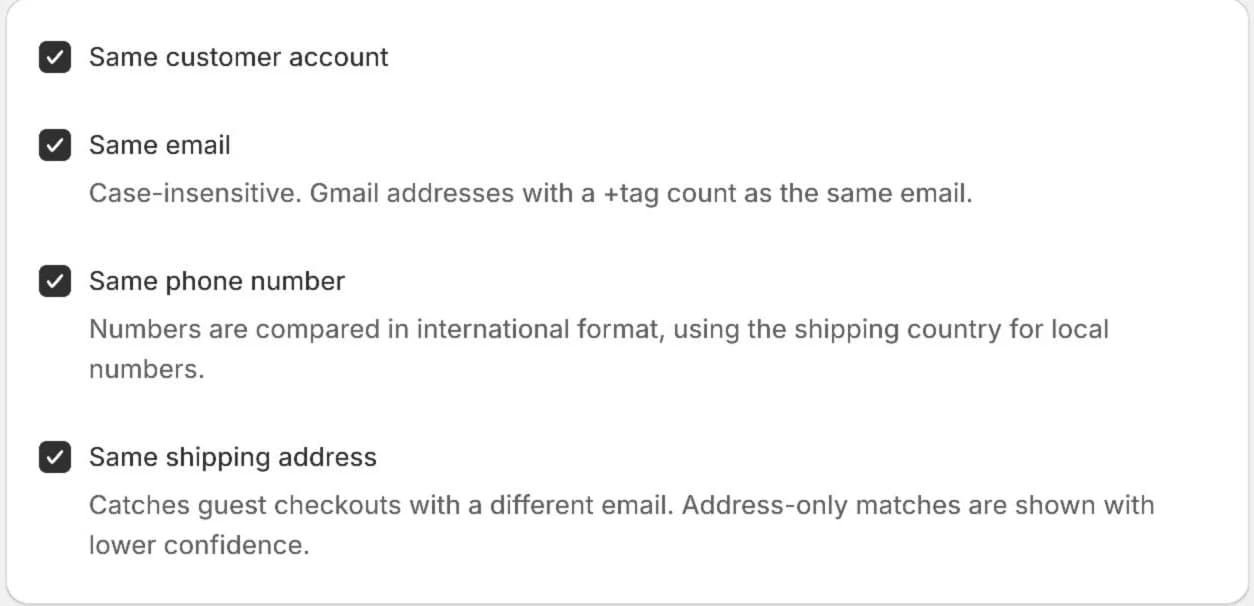
Open OrderMerge in Shopify admin and go to Settings. Match signals are all on by default: same customer account, same email, same phone number and same shipping address.
Email, phone and address are stored only as one-way hashes, never as readable text.
3Skip the orders you never want flagged
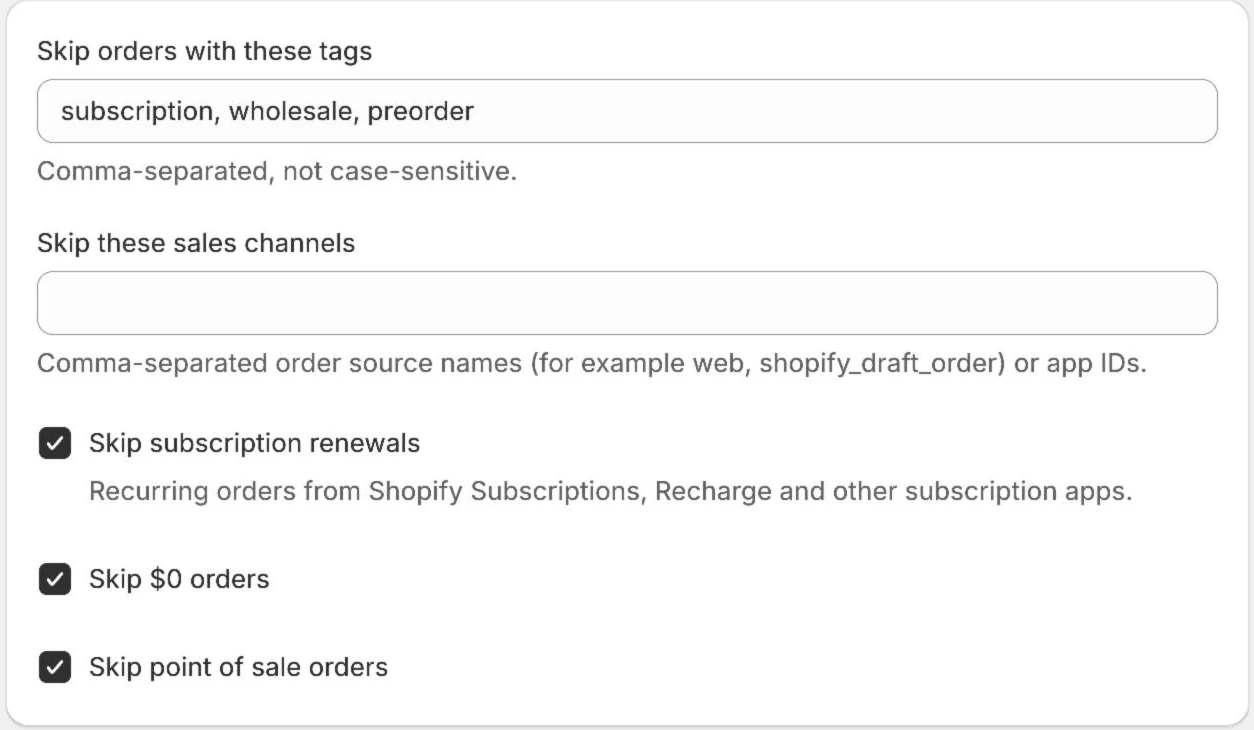
Under Exclusions, list the tags and sales channels to skip. Subscription renewals, $0 orders and point of sale orders are skipped by default.
4Watch for the first duplicate
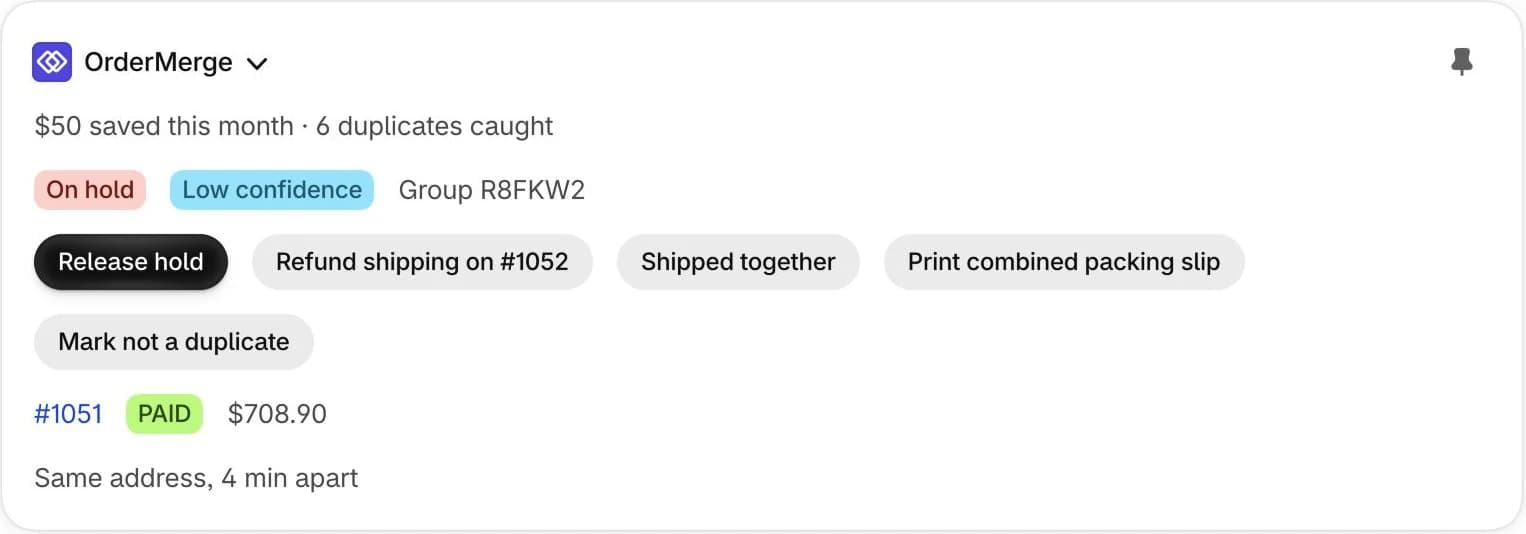
When a repeat order comes in, both orders get the tag ordermerge:duplicate and the OrderMerge block on the order page shows the group, the matched order and the reason.
On Protect, the newer order is also put on hold so your 3PL doesn't ship it yet.
Try it on your store. The Free plan starts catching duplicates right away.
