Find duplicates in orders you already have
Use the Find duplicates bulk action on the Shopify Orders list, and the Duplicates page to see every group in one place.
FreeProtect2 min read
1Check selected orders
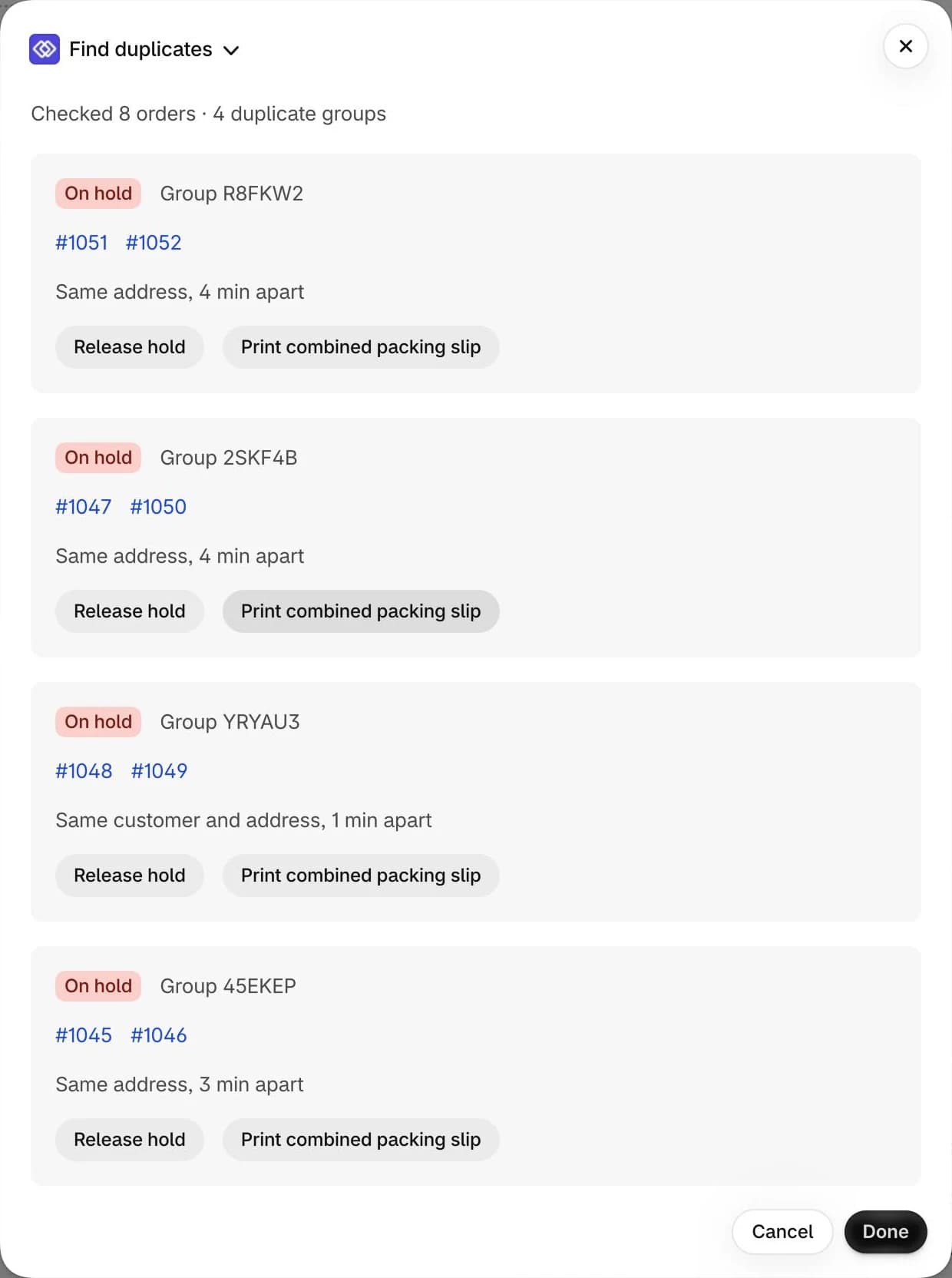
On the Orders list, select the orders to check, open the more actions menu and choose Find duplicates. OrderMerge checks them and lists the duplicate groups it finds, with Release hold and Print combined packing slip on each.
2See every group
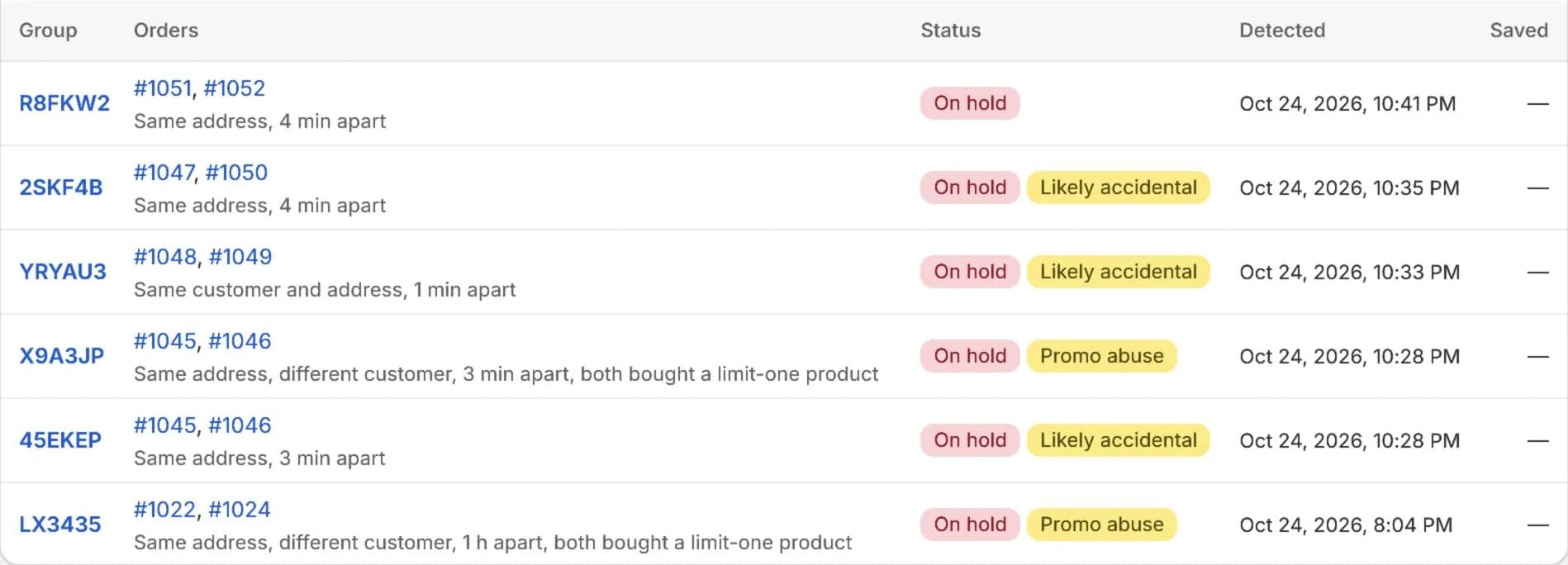
The Duplicates page in OrderMerge lists every group, newest first. Filter by Open, On hold, Released, Resolved, Likely accidental or Promo abuse, and click a group to review it.
3Filter in Shopify too
Every duplicate is tagged ordermerge:duplicate and ordermerge:group-<id>, so you can filter the Orders list or build a saved view without opening the app.
Try it on your store. The Free plan starts catching duplicates right away.
